What to Do If Turnitin Says You Used AI But You Didn’t
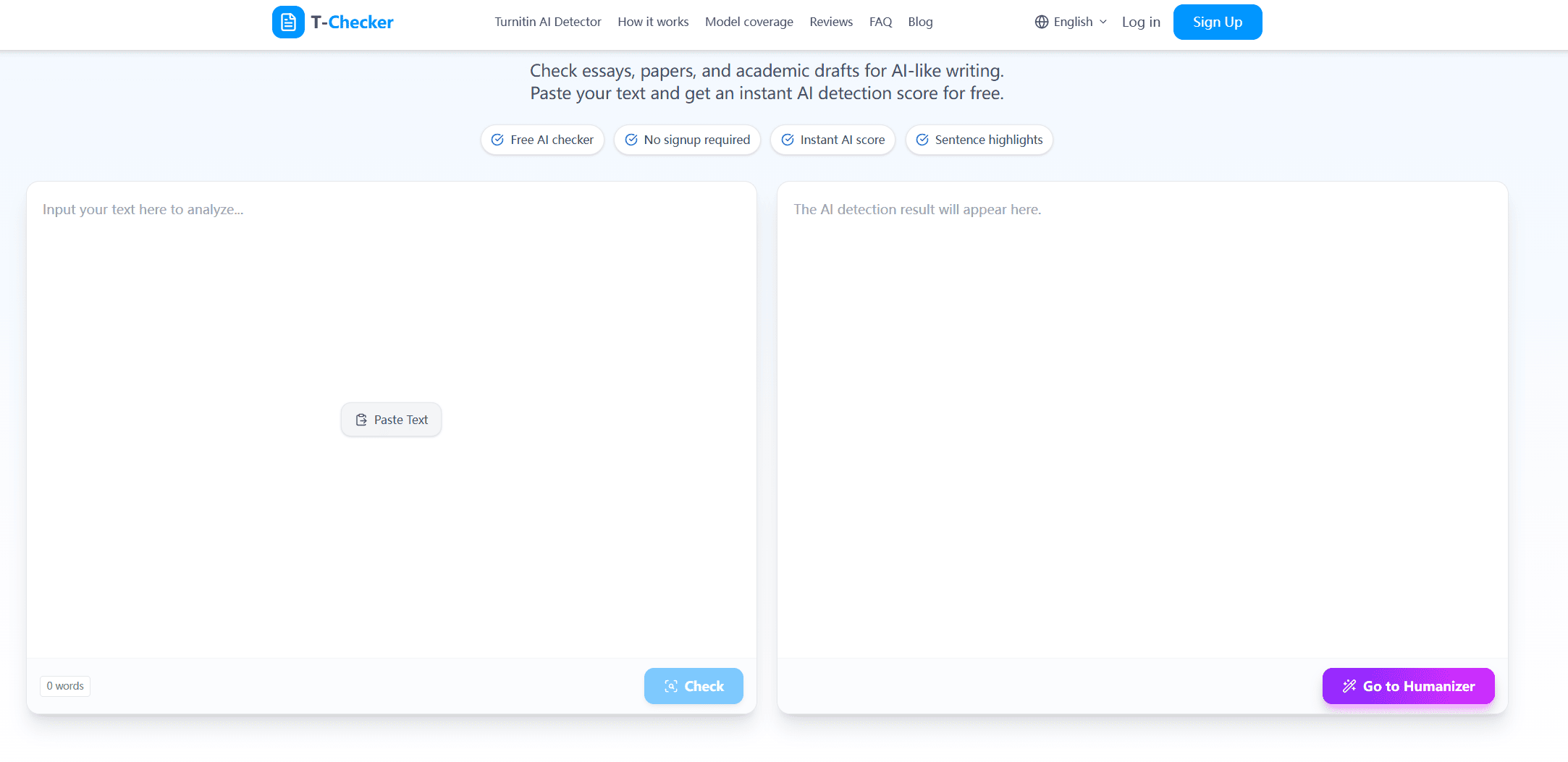
We’ve seen many students flagged even when they wrote everything themselves.
But just because a piece of text is flagged by an AI isn’t proof you cheated. Turnitin AI detection is a probabilistic system. According to Turnitin’s own documentation, its AI writing detection is designed to identify patterns, not prove misconduct. It can bring an instructor’s attention to a piece of text that may need review, but it can’t understand how you wrote your paper, what your draft history looked like, or whether you used the source-approved tools for writers, like a grammar checker.
So if Turnitin tells you you used AI when you didn’t, the worst thing you can do is panic. The best thing to do is take your time, see what Turnitin flagged, gather your writing evidence, and clearly explain how you wrote your paper.
This guide explains what you should do next.
1. First, Understand What the Turnitin AI Flag Means
If Turnitin puts an “AI flag” next to your text, it means the system spotted writing patterns that look like they could be from AI. It does not automatically mean you are trying to cheat by copying from an AI tool, or that you are violating your school’s policy on AI-generated content.
In most cases, the AI score is a flag to review. Your teacher may examine the highlighted text, compare it to your other work, and review your drafts, notes, sources, and explanation.
Turnitin AI result | What it usually means |
High AI percentage | Turnitin thinks a larger portion of the text may resemble AI-generated writing |
Highlighted sections | Specific parts of the submission need closer review |
*% or low-range result | The result may be harder to interpret and should be reviewed carefully |
No visible AI report | The report may not be enabled, visible to students, or available for that submission |
This matters because human writing can look ‘AI-like’. A student who writes overly formally, uses overly repetitive sentence structures, or summarizes sources in a generic but clear way could raise alarm even if they wrote the paper without using the suspicious technology.
That is why the goal isn’t to defeat the detector. The goal is to demonstrate the writing process that produced the final paper.
2. STEP 1 – Ask What Was Flagged
Before you respond, try and find out exactly what was flagged in Turnitin.
In some cases, students only hear a general comment like, “your paper was flagged for AI.” Not enough information to respond to. Ask if you can see the AI report, the highlighted sections, or at least what your faculty is concerned with.
You could say:
I wrote this paper myself and would like to understand which parts were flagged. Could I review the Turnitin AI report or the highlighted sections so I can respond properly?
Be calm. You’re not admitting to anything. You’re seeking the information you need to reply appropriately.
After you see the flagged sections, notice if it’s just one big section of the essay, or if it’s other parts of the paper.
Where the AI flag appears | How to interpret it |
Mostly in the introduction | The section may sound broad, polished, or formulaic |
Mostly in the conclusion | The writing may use common summary phrases or predictable structure |
Mostly in definitions | Definitions often sound textbook-like, even when written by a student |
Mostly in source summaries | Summaries can become neutral, compressed, and generic |
Across the whole paper | The instructor may look more closely at your overall writing process |
If only the introduction, conclusion, or summary sections are flagged, that may be easier to explain because those parts often use more predictable academic language.
3. Step 2. Gather Evidence of the Process of Writing Your Paper
If you did the writing yourself, the best evidence you can gather is your writing process, not the final paper.
Below is some information to help you collect evidence of the development of your work. Tracking version history is the most handy option because it can demonstrate the gradual evolution of the paper rather than simply copying and pasting the work into the document. Even older drafts may help you demonstrate changes in ideas and in sentences.
Evidence to collect | Why it helps |
Google Docs or Word version history | Shows gradual drafting and revision |
Early drafts | Shows how the paper developed over time |
Outline | Shows your structure before the final version |
Research notes | Shows where your ideas and sources came from |
Citation notes | Shows how you handled references |
Feedback from a teacher, tutor, or classmate | Shows normal revision and learning process |
Assignment instructions | Shows how your paper connects to the task |
Do not delete anything. Even messy notes can help because they show real thinking and drafting.
4. Step 3: Check the Red Flag Writing Yourself
Read the red flag text carefully before you tell your instructor.
Check if the flag text sounds off from the rest of the paper. That might happen when a paragraph is much more polished, generic or formal than the other writing. Or it could be a definition, a source summary or a conclusion and just uses standard academic phrases.
Question to ask yourself | Why it matters |
Does this section sound more polished than the rest of my paper? | Sudden tone changes can raise concern |
Does the paragraph use broad or generic claims? | Generic academic phrasing can look machine-like |
Is it mostly a definition or summary? | These sections often sound predictable |
Did I use a template, sample answer, or writing assistant? | You should be ready to explain your process honestly |
Did I revise this section differently from the rest? | A different revision process can explain a style shift |
This does not mean you did anything wrong. But understanding why the section might look unusual helps you respond more clearly.
For example, instead of saying only “I didn’t use AI,” you can explain:
The flagged part is my summary of Source A. I wrote it after reading the article, and I can provide my notes and earlier draft where I developed that paragraph.
That kind of explanation is more useful than a general denial.
5. Step 4: Be honest about any writing instruments you actually used.
Pause before replying to consider whether you actually used any writing support tools.
Some schools permit grammar checkers. Some permit translation aid. Some permit AI to help brainstorm but not to write. Some mandate that you disclose any AI assistance whatsoever. The policies differ, so your answer must reflect your actions and your course policy.
For example, universities like Oxford provide specific guidance on acceptable AI use in academic work.
Tool or support used | How to explain it clearly |
Grammar checker | “I used grammar correction for spelling and sentence-level errors.” |
Spell checker | “I used spell check, but I wrote the content myself.” |
Translation support | “I used translation support for words or phrases, not to generate the essay.” |
Citation generator | “I used a citation generator to format references.” |
AI brainstorming | “I used AI to brainstorm possible directions, but wrote the final text myself.” |
No writing tools | “I did not use AI or writing-generation tools for this assignment.” |
If you used tools for the writing, do not say “I used no tools”. Vague denials are trouble.
Specific denials have more credibility. They show that you know the difference between building a scaffold for your writing and generating yourself written content.
6. Step 5: Send a Calm Response
When you contact your teacher, keep your message respectful and factual. Do not start by saying the detector is useless or the accusation is unfair, even if you feel upset.
You can use this template:
Hi [Teacher/Professor Name],
I saw that my assignment may have been flagged by the Turnitin AI report. I want to clarify that I wrote the paper myself and I take academic integrity seriously.
Would it be possible to review the flagged sections or the AI report so I can better understand the concern? I can also provide my outline, notes, draft history, research notes, and earlier versions of the assignment to show my writing process.
Thank you for giving me the chance to explain.
This message works because it does three things at once: it denies misconduct calmly, asks for the evidence being used, and offers your own evidence.
Your response should | Why |
Stay calm | It keeps the conversation focused on evidence |
Ask to review the flagged sections | You need to know what you are responding to |
Offer draft history and notes | Process evidence is stronger than a simple denial |
Acknowledge academic integrity | Shows you understand the seriousness |
Avoid blaming the teacher immediately | Keeps the review process constructive |
7. Step 6: Ask about the review process
Find out how the review process will go if your school regards the AI flag as a formal complaint
A Turnitin AI score isn’t the beallie evidence. Your writing background, assignment context, sources used, and allowed tool use all count.
Question to ask | Why it is reasonable |
Will a person review the flagged sections? | AI scores should be checked in context |
Can I provide drafts and notes? | You need a chance to show your writing process |
Can I explain how I wrote the paper? | Your process may clarify the result |
What policy is involved? | The concern should connect to a clear rule |
Is there an appeal or review process? | You should understand your options |
8. What You Should Avoid
There are a few things that can make the situation worse.
Avoid this | Why it can hurt your case |
Deleting drafts or notes | You may lose useful evidence |
Rewriting the paper before saving the submitted version | The original flagged version may be needed |
Sending an angry message | It can make the conversation harder |
Using AI to write your explanation | It creates a new risk |
Saying “AI detectors are always wrong” | A better point is that they can be wrong |
Creating fake evidence | This can become a much bigger academic issue |
The safer approach is simple: preserve your materials, explain your process, and respond with evidence.
9. What If You Actually Used AI in Some Way?
If you used AI at any stage, check your course policy before responding.
There is a big difference between using AI to brainstorm possible ideas, using a grammar tool to fix sentence errors, and using AI to generate paragraphs for submission. Your school may treat these very differently.
Type of AI or tool use | Why the distinction matters |
Brainstorming ideas | Some courses allow it, some require disclosure |
Grammar correction | Often treated differently from content generation |
Translation support | May be allowed or restricted depending on the course |
Summarizing sources | Can be risky if the summary becomes part of the submitted work |
Generating paragraphs | Often the highest-risk use case |
Formatting citations | Usually different from generating essay content |
If the use was allowed, explain how you used it. If you are unsure whether it was allowed, be honest and ask how you can correct the issue. Trying to hide tool use after a flag can create a bigger problem than the original mistake.
10. What to Do Next Time to Reduce the Risk
The best defense is a good writing trail.
Use a document that saves the version history. Keep your outlines and research notes. Keep earlier drafts. Use your own examples, and ideas that are relevant to the course, rather than filler. Read your introduction and the conclusion carefully before you submit, because those are the places where it becomes most formulaic.
Habit | Why it helps |
Write in Google Docs or Word with version history | Creates a visible writing trail |
Save outlines and research notes | Shows your planning process |
Keep earlier drafts | Shows development over time |
Use course-specific examples | Makes the writing less generic |
Avoid over-polished filler | Reduces sudden style shifts |
Review the paper before submission | Helps you catch sections that sound inconsistent |
You can also run a private pre-check before submission if your school allows it. A pre-check cannot guarantee how Turnitin will evaluate your work, but it can help you notice sections that sound overly generic, overly polished, or inconsistent with the rest of your paper.
11. Final Thoughts
If Turnitin says you used AI but you didn’t, stay calm and focus on evidence.
A flag can feel personal, but your response should be practical. Ask what was flagged, collect your drafts and notes, explain your writing process, and be honest about any tools you used.
The strongest response is not anger. It is a clear record of how your paper was actually written.
FAQ
Can Turnitin falsely flag human writing as AI?
Yes, false positives can happen. That is why an AI score should be reviewed together with drafts, notes, writing history, and assignment context.
Is a Turnitin AI score proof that I cheated?
No. It is a detection signal, not final proof of misconduct. Your school or instructor should review the situation in context.
What evidence should I provide?
The most useful evidence is anything that shows your writing process: version history, outlines, notes, drafts, source notes, and feedback. You do not need everything, but the more clearly you can show how the paper developed, the stronger your response becomes.
Can students see the Turnitin AI report?
It depends on the school and course settings. Some students can see certain reports, while others only see what the instructor chooses to share. If you are accused, it is reasonable to ask which sections were flagged.
Should I rewrite the flagged sections immediately?
No. First save the submitted version and collect your evidence. If you rewrite immediately, you may lose the chance to explain what happened in the original submission.

Related Articles
View all
Turnitin AI Accuracy: Why Lab Accuracy Claims Don’t Match Real Classrooms
How reliable is Turnitin’s AI detection in real academic settings? This guide examines accuracy claims, false positives, false negatives, and why AI detection scores should be interpreted as probabilities, not proof.

Can Turnitin Detect ChatGPT? What Students Usually Get Wrong (2026 Guide)
Curious if Turnitin detects ChatGPT content in your paper? This guide explains what Turnitin really measures, common misconceptions from student experiences, real-world false positive stories, and how to interpret AI detection results responsibly.
Why Does Turnitin Flag Writing I Typed Myself? Common Triggers
Wondering why Turnitin flagged your own writing as AI or problematic? This guide breaks down the most common triggers — from statistical writing patterns and phrasing issues to formatting quirks — and explains why even original text can be misclassified.